RSS

Tag Archives: Debate

Do teachers have right to their intellectual property?

I had a discussion the other day with a teacher about the idea of a teacher’s intellectual property.  In most teacher’s contracts, in almost every school, they state that anything that is made or created by a teacher during the time of employment becomes the property of said school, school board, or business.

Atlas Rubicon is a system many schools are adopting to consolidate these properties.  It seems like a fantastic idea:  Teachers put their curriculum, lessons, notes, Powerpoints, and any other digital materials into the system for others to use.  Not only do the teachers at the school have access to the lessons of others, but other schools who have signed up through Rubicon also have access to everyone else’s property.  Über-cool!

The drawbacks, however, were also part of this discussion.  One, is the fact that schools could use this system to weed out expensive (older) teachers.  They might ask these teachers to allocate their resources onto these servers and then ‘let them go’ in the future, in order to hire younger, cheaper teachers to replace them.  How is this affecting students?  Are they getting the best education they can?

I guess my argument against that is that schools and administrators would hopefully not base their hiring and firing practices on salary amounts, but on effectiveness of teachers regardless of their age.  But sometimes there is a bottom line.  My colleague countered this mentioning that international schools most often do not hire people over 60 years of age. Yikes.

Another con to Rubicon is the fact that they are the holder of all the digital knowledge, AND they are charging education systems a fee to subscribe.  This means that they have a monopoly on the information that we, as educators, hold dear and true to ourselves.  This means Rubicon could start to charge outlandish prices for something that we need and also created.  Hmmm…What are the safeguards that Rubicon won’t be unethical in pricing?

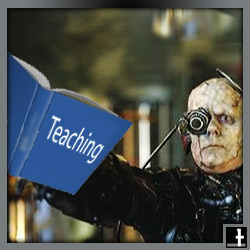
I really like the idea of being able to tap into every other teachers ideas, but I don’t like the chance of losing my own right to this property.  It is almost as if I am being assimilated into the Borg.  At what point does something that I create become completely my own?  Teachers usually work from contract to contract.  Does that mean that nothing they make until they retire actually belongs to them?  As a teacher I need to consider my future carefully.


Tags: , , , ,

Tech trends in school

Technology changes faster than we can blink an eye. That said, these are a couple things I have been reading about or think will become trends in schools in the near future:

  • Web-based instruction – The PhD I will start in the near future is specifically about web-based instruction.  Whether it is through Youtube videos in which kids are learning how to play the guitar, Facebook groups where students are chatting about math, any of the online collaboration tools I reference in another post, or through school homework sites that are built using Nings, Moodle or any of the numerous other CMS available, online is not about to go away.  It has so many advantages.
  1. For example, school closures no longer mean the need to make up days lost, because lessons can continue on through online systems that are in place.
  2. Kids who are sick can also continue on with their studies following regular updates about class lectures and homework that is expected.
  3. Kids and adults who are in remote places have access to schooling systems they would never normally have access to.
  4. People can choose huge varieties of courses that interest them.
  5. Settings of learning are semi-traditional or purely non-traditional.
  6. Learning times are less regulated, as the web is “on” 24 hours a day.
  • Cloud Computing – First of all, what is it?  From my understanding “Cloud Computing” means that programs and areas for hosting information are no longer hosted on the local computer.  For example, Google Docs is an prime example of cloud computing because every document is created and stored online.  The advantages to this system:
  1. It means that documents are available across a variety of platforms
  2. Documents are backed up with no fear of computers breaking down and all information is lost
  3. Multiple people have access to the same document at the same time.
  4. Permissions can be set in place by the owner of the document for read-only or read-write privileges.
  5. Usually zero cost is involved, which means that money can be spent on hardware rather than software solutions.
  6. Documents can be accessed anywhere, at any time.  If you are on vacation and you remember you need to print that file out, you can just pop over to the internet cafe and you have access to it without a flash-drive or CD to carry and worry about.
  • Mobile devices in classrooms – The sentiment among principals and administration in the past has always seemed to be: NO.  There is no need for mobile devices in classrooms.  However, these days I would argue there is great need for mobile devices in classrooms.  iPads, iPhones, Tablets, Slates, and even iPods are all finding there way into the education process.  What needs to be taking place more regularly is professional development for teachers about ways that these devices can cleverly be introduced into lessons.  The idea of 1:1 is already becoming outdated, as I talk about in this article.

The schools that “get it” will be the ones that stay ahead of the tech curve. “As educators, we really need to stay on top of this stuff,” said Roland Rios, director of instructional technology at the Fort Sam Houston Independent School District in San Antonio, TX, “instead of constantly playing catch up.”

  • Technology based assessment and monitoring tools – There are systems configured to record every keystroke that is ever pressed by students and coworkers.  There are systems like Faronics Insight to monitor screens of students in classrooms or public spaces like libraries.  But this idea is to enable even better surveying for student learning.  For example, ‘clickers’ for students are taken a step further with the idea that every students has an iPhone and sends in the answer to the questions that are presented.  Results can be recorded, tabulated and graphed.  Constant student assessment is enabled using technology.  The shy, quiet kids no longer get to recess into the backs of the classes.  Everyone is invited to join in on the learning, conversations and assessment.
  • Professional Development – Because technology is growing at such an unfathomable pace, teachers and educators alike need to be on the cusp of it in order to stay abreast of what is out there.  In order to do so, constant professional development has to be taking place.
  1. This can be in the form of a traditional classroom setting, an informal setting at home where educators are staying in the loop by accessing websites, blogs and other learning arenas.
  2. It can also come as it is with teachers learning from students and also allowing students to teach other students about their learned knowledge.
  3. Parents as well need to stay in this loop and educational foundations need to realize what they are and embrace this faction of their population.
 

Tags: , ,

The MAC | PC debate

In a colleagues class, students were writing debates.  The students were allowed to create their own topic.  One student decided the “MAC versus PC” debate.  He decided to come ask me, “Which is better?”

“It’s not that simple,” I said.  For example, which Mac are you comparing to which PC?  At present Apple has the MacBook, MacBook Pro, MacBook Air, iMac, Mac Mini, and the Mac Pro.  As well, there are a plethora of PCs tailored specifically to gaming, business, multimedia and cost.  In usual fashion, and even though most Mac owners do not like to admit it, the tailored PC is better suited for its purpose.

What is it then that people like about Mac computers?  Back in the day it was the graphical user interface with the Apple “Lisa” vs a PCs MS-DOS system.  There was also the “out of the bag” aspect that Mac has always had compared to a PC.  PCs needed most software installed.  The Mac didn’t.  Mac continues this “loaded applications on arrival” philosophy today.

The “Macintosh” developed slow clientele, but the introduction of the laser-writer printer and Pagemaker meant it was a desktop publishing machine for a home user.  Graphic designers flocked to it, considering it the machine of choice for a long time.

Mac supposedly released Firewire and the palmtop.  But even Firewire was a company acquired from Zayante. It was thought that Apple also invented such things as the trackpad on laptop, the mouse, multitouch, accelerometers, and the USB.  However, most of these innovations were created by other companies, adopted by Apple, tweaked, released and then marketed well.  See this article for more information relating to the misconceptions.

For an excellent history of apple releases with a neat time line, check out this CNet article.

Back to the question, “Which is better?”  I stick with my original posit that each computer has its advantages.  The PC seems better for gaming, modifying, over-clocking, software availability, budget and uniqueness.

Mac users like the start up speed, Safari Browser (Chrome is giving Mac a run), multiple applications loaded out of the box, superior editing and graphic production software, simplicity, and the idea that fewer malicious programs are written for it.  However, the botnet virus has some users feeling unsafe.

Things change daily in the world of electronics.  Advertising has a lot to do with it all.   It comes down to personal choice.  Note: Every computer coming out of the shops today has more than enough power, space, and speed for the uninitiated user’s needs.  They can all handle tasks like email, videos, word processing.  These should no longer be concerns for someone looking to buy a computer.  If you feel happy with the computer you are using, then this is the one that is better than the other.  Good luck.

 
1 Comment

Posted by on December 5, 2010 in Technology


Tags: , ,

Nings | Thesis Study of use in Education

On May 17th, 2009 I finished my Masters Thesis.  I demonstrated the effect of a Ning as it pertains to student education.  I proved that Nings can be useful for teaching students if the prescribed conditions are correct.

This is what i had hoped for.  I have uploaded it here files | downloads and directly here TomJohnsonsthesis.pdf


Tags: , , , ,