RSS

Tag Archives: Teaching

Enhance Your Content Creation with Few-shot and Chain of Thought Prompting Techniques

I have been prompting ChatGPT, CoPilot, and now Gemini for some time. I have also been doing the two things that I outline below. However, I have not been able to name or articulate using the proper lingo before. Here are the two prompting techniques that I am talking about:

1 – Few-shot prompting: This is using a few examples in the prompt. So, first, I might say something like:

“Write me a concise email to coworkers about upcoming tasks that need to be completed efficiently using very few adjectives and adverbs. Do not be flowery. Below, I have added two examples of what they might sound like. Write something similar:

Email 1: Task Update

Subject: Project Deliverables Due

Hi Team,

Please focus on completing the project deliverables by Thursday. We need to finalize the report, update the spreadsheet, and review the presentation. Assignments have been shared in the task tracker. Ensure everything is submitted on time.

Let me know if there are any issues.

Thanks,
[Your Name]

Email 2: Task Urgency

Subject: Urgent Task Completion

Hi Team,

We have a tight deadline to meet. Please prioritize the report, spreadsheet update, and presentation review. These tasks must be finished by Thursday. The task tracker has all assignments listed.

Reach out immediately if any problems arise.

Best,
[Your Name]”

Comparatively, there is also one-shot and zero-shot prompting, which would have one example or no examples respectively.

2 – Chain of Thought Prompting: This is a prompt whereby the user asks in the prompt for Large Language Model (LLM) to explain its reasoning. One might wonder why to do this. Here are two reasons presented from Coursera:

Benefits 

Chain-of-thought prompting has two main benefits:

  1. It can improve the overall accuracy of an LLM’s output. When you divide a task into more manageable steps, you help the LLM produce accurate and consistent results.
  2. It can improve the problem solving process. By instructing an LLM to break down the problem, you can better understand the steps used by the LLM to arrive at the solution. 
This image was generated using Gemini in Slides. (My first time using Google to generate images)

Be sure to include:

  • When crafting prompts for large language models (LLMs), understanding the context of “Goal,” “Audience,” “Tone,” and “Output” is essential to get the desired results. Here’s an expanded explanation of each:

    Goal
  • The “Goal” refers to the primary objective or purpose of the prompt. It answers the question: What are you trying to achieve? This could range from generating creative writing, summarizing information, answering specific questions, providing advice, or assisting with tasks like coding or data analysis. Defining the goal clearly helps the LLM understand what the end result should be and tailors its responses to fulfill that purpose.

    Audience
  • The “Audience” identifies the intended readers or users of the generated content. It answers the question: Who is this content for? Knowing the audience guides the LLM in adjusting the complexity, formality, and style of the output. For instance, content meant for children will differ significantly in language and tone from content intended for professionals or experts. Understanding the audience ensures that the response is appropriate, relatable, and engaging for the intended readers.

    Tone
  • The “Tone” describes the emotional and stylistic quality of the content. It answers the question: How should the content feel to the reader? The tone can range from formal to informal, friendly to authoritative, or humorous to serious. Specifying the tone helps the LLM align its language, word choice, and sentence structure with the desired emotional impact, ensuring the output resonates with the intended mood or atmosphere.

    Output
  • The “Output” defines the expected format, length, or style of the generated content. It answers the question: What should the final product look like? This could include specifications like a detailed essay, a brief summary, bullet points, a dialogue, a creative story, or a step-by-step guide. By specifying the output, you guide the LLM to structure the response in a way that meets your specific needs, ensuring the final result is both useful and appropriate for its intended purpose.

What have you and what would you use in the future? Have you discovered any new tools or techniques that have significantly impacted your work? Are there any prompts or methods you have found particularly effective, and are there different ways you are considering using them in the future? I am curious to hear your thoughts.


Tags: , , , , , , , , , , , , , , ,

Gemini (Google’s AI) in Google Suite

I have been wondering for some time now how I could incorporate AI into my Google stuff, like: Gmail, Docs, Sheets, Slides, and Meet. Now, after taking the Coursera course about Google AI, I have finally gotten a link.

This image is created using Canva with the prompt: a person clicking on a link using a computer or tablet (Note that AI is having trouble with hands still)

Here, I am sharing that link with you: https://workspace.google.com/labs-sign-up/

“Gemini offers a variety of tools and features that can streamline your workflow and increase productivity. For example, the project management capabilities in Gemini allow teams to collaborate more effectively, ensuring that tasks are completed on time and within budget. Additionally, the reporting and analytics features provide valuable insights into project performance, helping you make data-driven decisions for future initiatives. I look forward to hearing about your experiences with using Gemini in your work environment.” (This content was produced by WordPress AI assistant using EXPAND)

Make sure that you are in your own personal account that you can manage. If you are using a business or education account, you may need to ask the administrator to enable access.

Now, I am going to try it out and get back to you.

If you already use it, please let me know how you use Gemini in your workspace to your advantage.


Tags: , , , , , , , ,

Has the IBO always gone overboard with criteria?

At the Nanjing International School, we use both the IBO curriculum and we are trying to adopt NoTosh’s ideas about Design Thinking.

I might argue that since we are trying to follow both the IB Design Curriculum AND Design Thinking we ask students to choose from at least one strand in each criterion.  In my teaching career with MYP, I have noticed most times every item from the IBO’s level 7-8 criteria does not make sense for students to complete.  They are not realistic and rather than student being informed by the process, they are bored out of their mind.

A case example:
If students would like to make a website, they might only choose:

Criterion A: Inquiring and analysing
The student:
i. explains and justifies the need for a solution to a problem for a client/ target audience
ii. constructs a detailed research plan, which identifies and prioritizes the primary and secondary research needed to develop a solution to the problem independently
iii. analyses a range of existing products that inspire a solution to the problem in detail 
iv. develops a detailed design brief, which summarizes the analysis of relevant research.

Criterion B: Developing ideas
The student:
i. develops detailed design specifications, which explain the success criteria for the design of a solution based on the analysis of the research (in this case, a website layout)
ii. develops a range of feasible design ideas, using an appropriate medium(s) and detailed annotation, which can be correctly interpreted by others
iii. presents the chosen design and justifies fully and critically its selection with detailed reference to the design specification
iv. develops accurate and detailed planning drawings/diagrams and outlines requirements for the creation of the chosen solution.

Criterion C: Creating the solution
The student:
i. constructs a detailed and logical plan, which describes the efficient use of time and resources, sufficient for peers to be able to follow to create the solution
ii. demonstrates excellent technical skills when making the solution. 
iii. follows the plan to create the solution, which functions as intended and is presented appropriately
iv. fully justifies changes made to the chosen design and plan when making the solution.

Criterion D: Evaluating
The student:
i. designs detailed and relevant testing methods, which generate data, to measure the success of the solution
ii. critically evaluates the success of the solution against the design specification based on authentic product testing
iii. explains how the solution could be improved 
iv. explains the impact of the product on the client/target audience. (IBO, 2014)

Following this idea, teachers would still have something to mark for every criterion, but it would be more succinct and we could enable the FUN back into the learning.  I would emphasize that we would want the students to choose and (verbally) justify why they have chosen those criteria.  Along the lines of Design Thinking, we want the kids to: “be immersed, synthesize, ideate, prototype, and then display” (NoTosh, 2015).

I think it is important that we follow the rules, but as educators we need to realize when the rules should be broken if we are ensuring that our students are not enjoying the subject matter.

Thoughts?


Tags: , , , , , , , , , , , , ,

Excellent Song and Music Resources for Parents and Teachers

It has been a while since I posted anything directly to my site.  I thought I would consolidate four of my favourite resources into one post here that are a seemingly endless and FREE collections of excellent online resources for music, singing, dancing, and nursery rhymes.  Without further adieu:

Bus Songs – This one is great for young kids.  It is sortable and searchable.  For example, if I want to find all the songs that are about Transport; of course they have that…and I can see which ones have audio and which have video.

Bus Songs

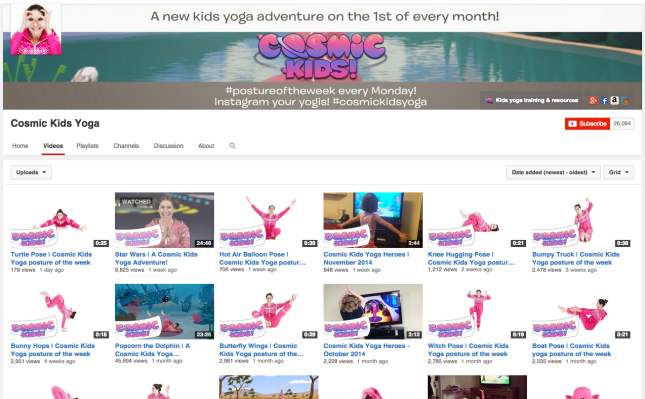
Cosmic Kids Yoga – Youtube – This channel is neat because the yoga instructor takes you through a story and teaches different moves.  The stories are done with ‘blue screen’ techniques so it seems like she is in far off or imaginary places.

Cosmic Kids Yoga

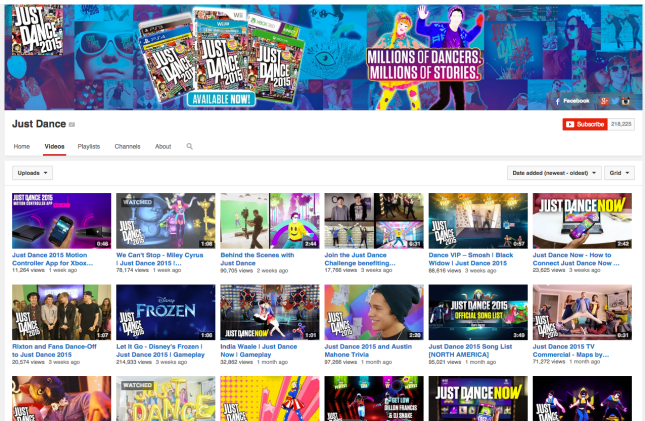
Just Dance – Youtube – I have seen kids in grade 5 (age 10) who all love the videos from this channel.  This means younger ones will like them too.  The teachers are able to sit back and have the video teach the kids the dance moves.  Forget the square dance.  It is time to doh-see-doh your partner over to these fun, hip videos.

Just Dance

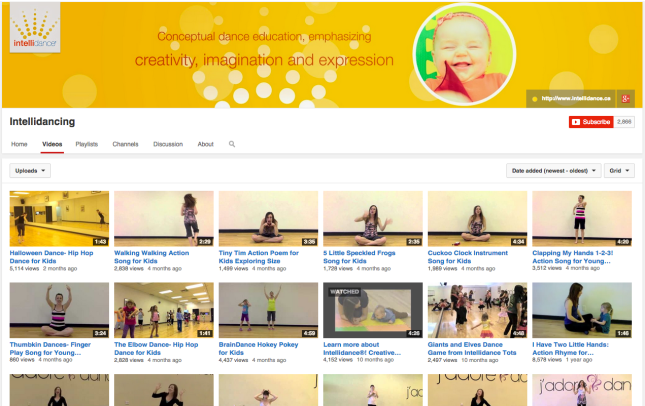
Intellidancing – Youtube – When you have had enough of yoga, hip-hop and pop dancing, and nursery rhymes, it is time for a little modern, conceptual dancing and movement.  This is when these videos are for you.  Enjoy.

Intellidancing


Tags: , , , , , , , , , , ,