RSS

Tag Archives: Students

Creating a Wiki?

Some advice that I would give to someone creating a wiki specifically for a class working synchronously:

  1. Students must write their information in Word first – for better grammar, but especially for back-up.
  2. Create separate designated pages for each student to work on – possibly name the pages with their name embedded to be changed out later – as the wiki creator, you may be the only one to have the page creation rights.
  3. If you know multiple people will be working on the same pages at the same times, allocate time buffer zones that people may post – for example, if 4 people work on the same page, one may post between 4-6pm, another between 7-9pm, another between 10-12pm, and another between 6-8am.

There are always Revision histories, but having 15-30 students post on the same page at the same time DOES NOT WORK. Separate the tasks and times as best as you can.

I would actually recommend Google Docs or Microsoft One-note if you are networked and have that option.  It depends on your final goal of the project.
 

Tags: , , , , , , , , , , ,

Search beyond Google. Wonderwheel and more

I do it.

My students do it.

We all do it.

We GOOGLE IT!

The easiest thing these days is to find an answer.

But is the answer always the best answer?

How many of you have gone beyond the first, second or third page in search results in Google?

How many have used tools like:

  • Google Scholar (for articles, legal opinions and journals)
  • Google Books (find whole books, partial excerpts, etc)
  • Google Finance (find stock quotes)
  • XE.com (for exchange rates of currencies and precious metals)
  • Survey Monkey | Survey Gizmo (for creating your own surveys)
  • ERIC (digital library of education literature)
  • OEDB.org (free online classes)
  • TeacherTube.com
  • IMDB.com (International Movie Database)
  • Youtube.com (many free online tutorials | courses these days)
  • the library
  • an expert
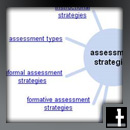
  • Google WonderWheel (as seen above) Wonder wheel How-to.pdf [Presently, Google Wonder Wheel seems to no longer exist.  I hope the people at Google bring this option back.  For now, check out Google Image Swirl, another similar product, only for images]

This is not an exhaustive list of tools-beyond-Google, but it is a list I presently use as part of criterion for my students to gather information in preparation for a project.  I recommend you, as an educator, employ these techniques and others as well.  Google is great, but it doesn’t always have the best answer.

For a great interactive graphic that demonstrates: Google Tools to support Bloom’s Revised Taxonomy


Tags: , , , , , , , , , ,

Basic Reading in Google Search – ISTEC final notes

At the ISTEC meeting we had the session that I usually enjoy the most.  It is a time when people come up and show a thing or two they find nifty.  It is usually the cutting edge stuff that no one has seen before.  For example:

Search for kids

  • Google – Advanced Search (basic reading age)

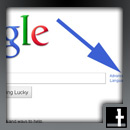
Go to Google – Advanced Search

Choose Reading Level:

Another great Kids Search example was:

Some of the latest resources mentioned are listed below:

  • dropitto.me – a dropbox add-in allows others to send files to your dropbox
  • edmodo –  an excellent, free (course management system) CMS for teachers and students
  • packrati.us – adds twitter feed URLs to your delicious account
  • calibre – e-books library management system
  • epubread – allows you to read ePubs in Firefox
  • posterous.com – fun ways to share and collaborate online

Concerning e-portfolios, these items were presented:

A noteworthy site to work in conjunction with those listed above:

  • topicmarks – summarizes text documents for you electronically
 

Tags: , , , , ,

Everyone should blog. Here’s why.

My new student policy is and will be:

“Everybody Blog!”

There is no reason that everyone can not, nor that everyone should not be creating blogs.

  • They’re easy!
  • They are free!
  • They are good indicators of learning!
  • They are portable!
  • They can act like an online portfolio!
  • They can be real fun!

What can you put in a blog? Just about anything.  Some ideas can include:

  • About Me information
  • Contact information (for older kids and adults)
  • Resumes
  • Curriculum Vitae
  • Favorites and Links
  • Videos
  • Music Videos and Music
  • Photos
  • Sport information
  • Favorite Game information
  • Wedding /Party Info
  • Selling your house/belongings/shoes/gadgets/toiletries

How can you do it yourself?

  1. Come here to WordPress.com
  2. Sign-up
  3. Remember your passwords (Write them down some place)
  4. Edit
  5. Take Pictures, add them, play!
  6. Have fun
 

Tags: , , ,