RSS

Stuck in COVID: A post for your kids with tech

Are you a student in year 4, 5, or 6 who loves to have fun while learning? Do you have an Apple device that you use for school work? If so, here are some fun ways you can use your Apple products to make learning more enjoyable:

  1. Turn Siri into Your Personal Assistant

Did you know that Siri can help you with your school work? Try asking Siri to remind you to take a break every hour or to play your favorite song when you finish your homework. You can also ask Siri to set reminders for your upcoming tests or assignments.

  1. Create a Stop Motion Animation

Using your iPad and the iMovie app, you can create a stop motion animation. Use clay, Lego, or any other materials to create characters and scenes. Then, use your iPad to take pictures of each frame. The iMovie app can then compile the frames into a stop motion animation. This is a great way to show what you’ve learned in a creative and fun way.

  1. Play Games That Help You Learn

There are many educational games available on the App Store that can help you learn while having fun. For example, “Math Bingo” is a game that helps you practice your math skills by playing bingo, while “Stack the States” is a game that teaches you geography by asking you to stack states on top of each other.

  1. Use Augmented Reality to Explore the World

Did you know that your Apple device can help you explore the world in a new and exciting way? With Apple’s ARKit technology, you can experience augmented reality on your iPhone or iPad. Try using the “Sky Guide” app to point your iPad at the sky and learn about the stars and constellations.

  1. Make a Movie Trailer

Have you read a book that you really enjoyed? Or are you working on a project that you’re proud of? Using your iPad and the iMovie app, you can create a movie trailer to showcase your work. Add music, special effects, and titles to make your trailer more exciting.

In conclusion, using your Apple products can be a fun and creative way to make learning more enjoyable. By turning Siri into your personal assistant, creating a stop motion animation, playing educational games, using augmented reality to explore the world, and making a movie trailer, you can have fun while you learn.
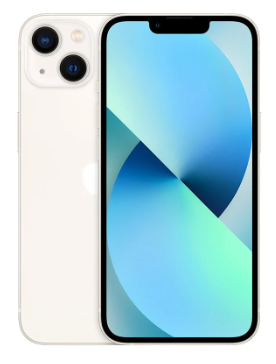


Maximizing the Benefits of the Latest iPhone Models in Education

With the latest iPhone models, students and educators now have access to a powerful and versatile tool that can help improve learning and make education more engaging. In this blog post, we’ll look at some of the ways you can use the latest iPhone models to enhance your educational experience.

  1. Digital Note-Taking: The latest iPhone models come with Apple’s Notes app, which makes it easy to take notes, create to-do lists, and save important information. With the ability to add photos, sketches, and web links to your notes, you can keep all your class material organized and accessible in one place.
  2. Collaborative Learning: The latest iPhone models support collaboration through the use of Apple’s iMessage and FaceTime. With these tools, you can work with classmates and teachers on group projects, share notes, and have virtual study sessions. Additionally, you can also use Apple’s Pages app to create and edit group documents, making collaboration easier and more efficient.
  3. Improved Accessibility: The latest iPhone models come with improved accessibility features, including VoiceOver, which provides audio descriptions of everything on the screen, and Siri, which allows you to control your phone hands-free. These features can be especially helpful for students with disabilities, making it easier for them to access and participate in their education.
  4. E-Books and Online Resources: With the latest iPhone models, you can access a vast library of e-books and online resources through the iBooks app. This app allows you to download and store books, PDFs, and other educational materials, making it easy to study on-the-go. Additionally, the latest models come with Safari, which provides access to the internet, making it easier to research and find information for class assignments.
  5. Productivity and Organization: The latest iPhone models come with a range of productivity and organizational tools, including Apple’s Calendar, Reminders, and Find My apps. These apps can help you stay organized and on top of your schedule, making it easier to manage your time and stay focused on your studies.

In conclusion, the latest iPhone models offer a range of features and tools that can help improve education and make learning more engaging. From digital note-taking to improved accessibility, these models provide students and educators with a powerful tool for success.


Want to know how Seesaw can be used at your school? Watch the video for ideas

I have been working with Seesaw as a teacher, a tech coach, a Seesaw and tech admin – as a user, an Ambassador, and now a Seesaw Certified Educator for 6+ years. Watch the following video to see how we have been using Seesaw at my current international school:

I welcome feedback from other Seesaw users, educators, parents, and of course students for what you like, what you would change, and what you would not recommend that I may have shown in the video. Put your ideas in the comments below.


The Future of Apple in Education: A Look Ahead

Apple has long been a leader in the field of technology and education, providing students and educators with innovative tools and resources to support learning and enhance the educational experience. As technology continues to evolve, it’s exciting to think about the future of Apple in education and how it will continue to shape the way we learn.

  1. Augmented Reality: Augmented Reality (AR) is a technology that overlays digital information on the physical world, and it has the potential to revolutionize education. Apple has already made significant investments in AR, and it’s likely that we’ll see more AR-based educational apps and resources in the future. These resources could provide students with interactive and immersive learning experiences, making education more engaging and effective.
  2. Artificial Intelligence: Artificial Intelligence (AI) is another technology that has the potential to transform education. Apple’s Siri and other AI-based tools can help students and teachers automate repetitive tasks, freeing up time for more meaningful and creative activities. Additionally, AI-based educational tools could provide personalized learning experiences, adapting to the needs and abilities of each student.
  3. Cloud-Based Learning: Cloud-based learning is becoming increasingly popular, and Apple is well positioned to lead the way in this area. With its extensive network of servers and data centers, Apple can provide students and educators with secure and reliable access to cloud-based educational resources. This can include online learning platforms, virtual classrooms, and cloud-based storage for educational materials.
  4. Wearables: Wearables, such as the Apple Watch, have the potential to revolutionize education by providing students with immediate access to information and resources. For example, students could use their wearables to access class schedules, take notes, and receive reminders about upcoming assignments. Additionally, wearables could also be used to track physical activity and provide feedback to promote healthy habits and wellness.
  5. Privacy and Security: As technology continues to advance, privacy and security will remain critical issues in education. Apple has a strong track record in this area, and it’s likely that we’ll see the company continue to lead the way in protecting student and teacher data. This will be especially important as cloud-based learning becomes more widespread, making it essential to protect sensitive educational information.

In conclusion, the future of Apple in education is exciting, and there’s much to look forward to. From Augmented Reality to wearables, the company is well positioned to shape the future of education and provide students and educators with the tools and resources they need to succeed.