
Great post!
I just worry here: “There should be no place to hide for kids that are unwilling or presently unable to engage in their learning.”
What if the student is emotionally not ready to participate for reasons unknown to the teacher? For example, I remember watching a movie, years ago in teachers college, where a student was not participating in class, but was still coming to school. What the teacher did not know was that he was going home every day to a mother and sole caregiver who had died and was still in his home.
This is an extreme case.
But I think of myself as the student. On certain days, I do not want to be called on and I am not emotionally ready; Maybe I was dealt bad news, maybe I am extremely tired and not ready to engage, maybe there is some other emotional reason that I have.
In any case, I offer this solution:
An adaptation to popsicle stick – with a check-in method where students walk into class and and if they cannot participate they can take their popsicle stick out and put it in the “stop” or “please don’t call upon” holder.If the educator notices a trend in the move of the popsicle stick, they can have a conversation with the student about why or refer them to a counsellor. It could be a win/win for educator and learner.

I recently watched BBC’s Classroom Experiment with Dylan William (YouTube video above). While the program is interesting on so many levels, I was especially drawn to William’s first intervention that effectively bans hand-raising from the classrooms he works with, and replaces the practice with popsicle sticks. You can also read more about it in, “Where Hands-Up In Class is Banned”.
While watching the segment on hands-up (from about 5:20 – 16:16), I jotted down notes about my beliefs on student engagement and participation. I think they’re pretty standard:
- Every child deserves a level playing field that is not dominated by those that demand the teacher’s attention.
- Students that monopolize the conversation need to give way for participation from other students.
- Teachers need to hear from students that do not participate.
- There should be no place to hide for kids that are unwilling or presently unable to engage…
View original post 1,325 more words
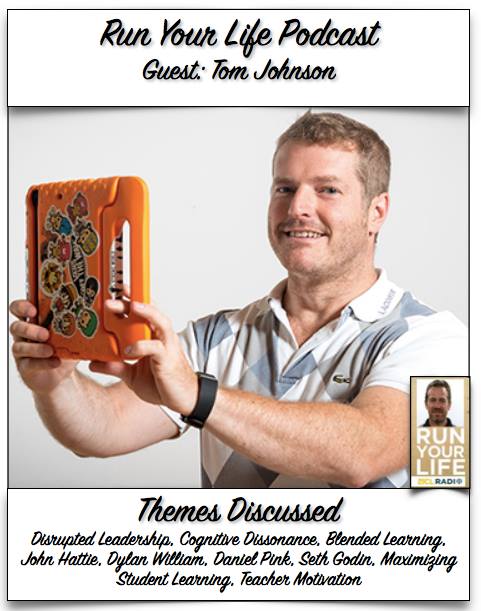 This is my first-ever Podcast experience. Andy Vasily, an educational consultant, co-author with me, former colleague, and friend of mine involved me in this. At first, I was leery, nervous even, but Andy made me feel at ease with his questioning and banter.
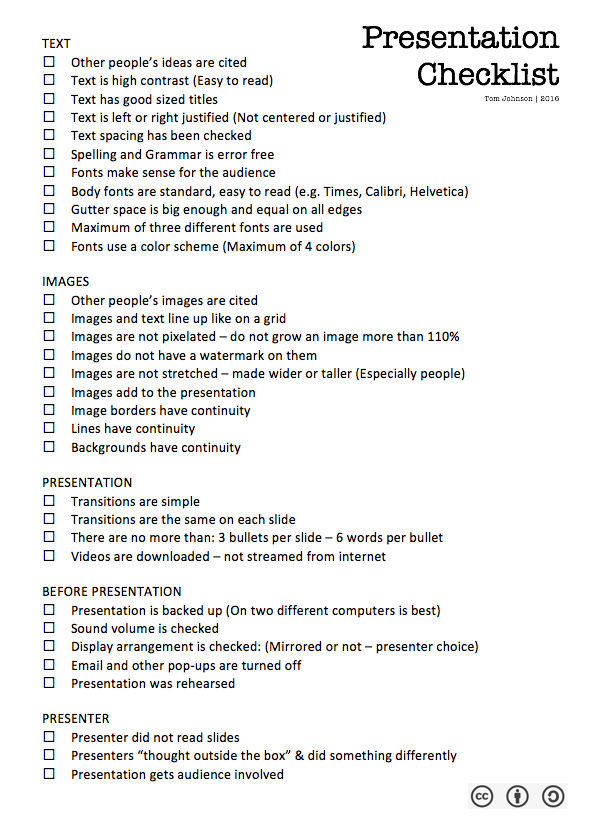 I have seen too many mishaps and boring presentations. Because of this, I decided to make a checklist that can be freely shared to help those who might be getting ready for their presentation. Find it below as a PDF and .Doc:


 education | technology | ai & NOT A.I. | design