Attention:
You might not sound as smart as you think, especially if you consider how you sound in a foreign country. Maybe you think your pronunciation is great, but you can’t understand why no one gets what you are trying to say. There are things that you can do to practice. One of the best sources I have recently been referred on to was Rosetta Stone (RS). The reason I like it is because the software ensures reading, writing, connecting thoughts, listening AND SPEAKING!
It does not translate words for you. At first I thought this was a silly way of learning, but after going through the RS system for a while I realized that building upon reference ideas and then repeating them was a great way to learn. The drawback, however, is the cost. (£149.00) In that case, I have a workaround answer for you, but I will get to that after I have shown you proof that the RS system works.
Proof:
While researching for proof that Rosetta Stone was the best way to learn online or off out on the market, I found some contrasting evidence. Some people spoke very highly of the product, such as these reviews:
Without a doubt the highest praise went to the ease with which reviewers were learning. Courses were described as being instinctive and natural, even though many had been skeptical about there being no English on the Rosetta Stone software. A lot of learners said that their children were also following their course and were enjoying the quizzes and games. Rosetta Stone seems to be engaging for any age group. The pace seemed to be appropriate, and many users liked a feature of the CD-ROM where it automatically started each session with a quick review of what was previously studied. (http://www.therosettastonereviews.com/)
Rosetta Stone helps you learn 31 various languages spoken all round the world. It dishes some different and interesting techniques to get accomplish to the languages you want in your armory. People who want to study languages difficult to understand for fun or individuals who loves incomprehensible languages, should also give Rosetta Stone a try. (http://judgesreviews.com/software/rosetta-stone-reviews)
However, this review was only a partial glimpse:
Some people will get benefit out of Rosetta Stone. I can see how it would happen. I did indeed learn something from this program, including having my first ever conversation in Dutch, which gave me an enormous boost of confidence.(http://www.fluentin3months.com/rosetta-stone-review/)
A further read of this same reviewing would show you this review as well:
Injecting this confidence is something that Rosetta Stone does very well but to be honest the time would have been much better spent on other tasks. (http://www.fluentin3months.com/rosetta-stone-review/)
With that said, I have to personally say that I can see the benefit and enjoyment factor present with the RS method. If you have time, it is worth giving it a try to see if the slightly expensive system is worth it to you. If not, read on and maybe I have some alternative solutions.
Strategy:
There are many free websites to learn another language. A good example of an English site for this is learn-english-online.org Like most, it allows you to read, to write and sometimes even listen, but the sites do not include speaking.
Along comes Google!
I figured this out when my wife, who is not a native English speaker was trying to use the Google VoiceSearch found when you are using Chrome as your browser.
She was having the toughest time. It was a little funny, especially when I heard what she was trying to say and what was coming up on Google. For example, she might try to say, “Samui, Thailand” and it comes up, “Simile Highland”. It takes some practice. Sometimes it is even necessary for me, as a native English speaker to hear what she is saying and tell her to say the word(s) with more enunciation or inflection on a certain part. How Google works well, is it confirms automatically where I might say to her, as her teacher, that she is saying something incorrectly, but she doesn’t hear it herself. She might insist she is saying it correctly, but I have no proof.
Well, now I do.
This Google App is available on iPhones, iPads and I am sure lots of other devices. Because of this, it means teachers can carry it around for students who are trying to pronounce something for immediate confirmation about whether what they are saying is said correctly or not.
All-in-all, I love the idea. I hope to apply it through technology integration in classrooms, by carrying around a smart phone and pulling it out when the need is there.
Who says we should ban phones in schools? With enough ingenuity there are plenty of authentic applications for them. Now, if I can justify spending $15,000 for Microsoft’s MS Surface Table to the school, that would be neat.
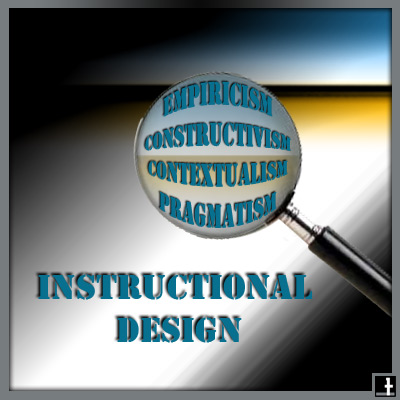 If instructional designers have a lens with which to view or to reflect on a design process it can help support their practice altogether. This lens can be the knowledge of foundational theories, assumptions, and philosophical traditions of instructional design. Christensen (2008) writes it “helps later [to have this knowledge] when it comes to designing the instruction, but also serves as a guide for deciding how to analyze the learning tasks or content and how to assess learning.”


 education | technology | ai & NOT A.I. | design